
Check the number before it's built in.
You have the architect's PDF and a builder asking questions. PlanTape lets you read any length or area off your own plans on your phone — no drawing experience, no scale ruler — so you can check a number before you agree to it.
No account · No cloud · Works offline · iPhone, iOS 26+
Plain answers from your own plans
How wide is the gap for the kitchen island? Does the sofa fit on that wall? How far is the terrace from the house? Open the plan, tap the two ends, and the answer is on the screen. The scale is usually set for you as the plan opens — it's read from the dimensions the architect printed on the sheet.
- Open the PDFThe one the architect or builder sent you, straight from Mail or Files.
- Tap two pointsNear a corner, the point jumps onto it. Drag if it's crowded; a magnifier shows where it lands.
- Read the lengthIt stays on the plan, so you can come back to it before the next site meeting.
Talk about the same corner
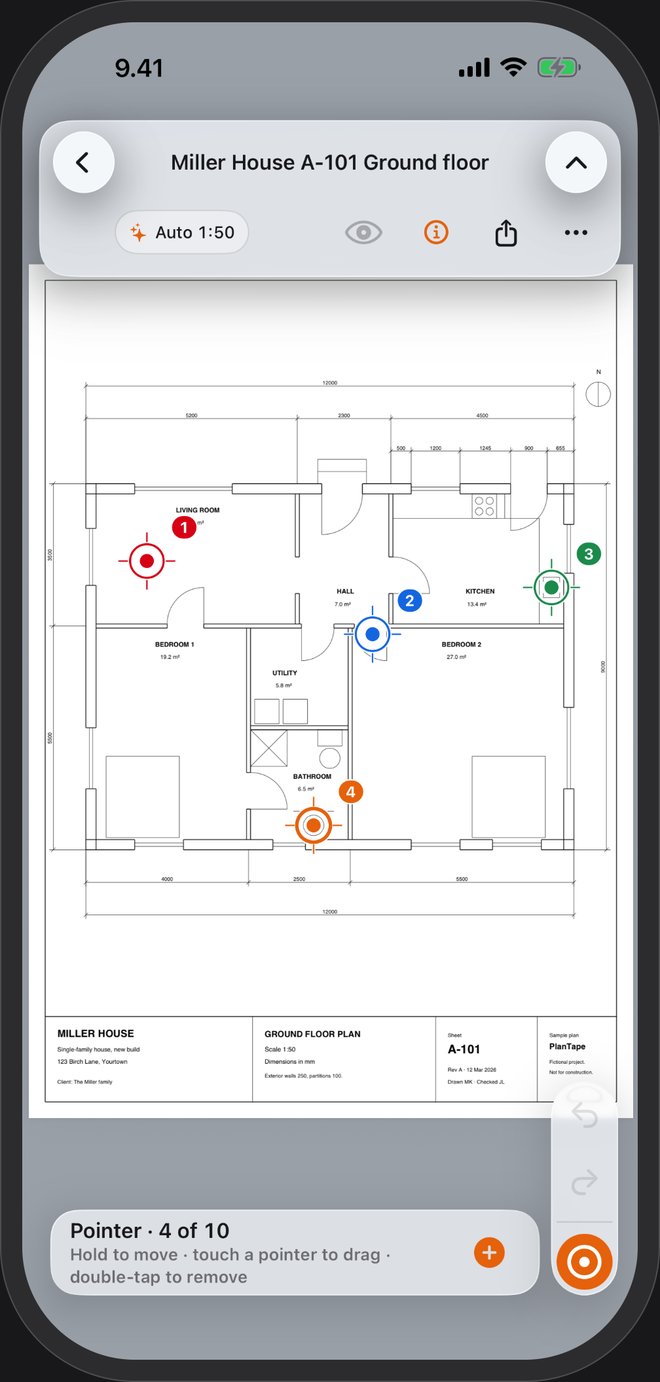
Walk it through together
Drop numbered markers on the spots you want to discuss, so everyone is pointing at the plan, not waving at a wall.
Put it in writing
Arrows, shapes and sticky notes on the plan, then a flattened PDF by message or email. Your builder needs nothing but a PDF viewer.
The scale travels along
The shared PDF says it was measured with PlanTape and carries its scale, so anyone who opens it in PlanTape can measure more straight away.
A stricter check
Switch on Settings → Advanced → Measurement names & tolerances. Give a measurement its nominal size and a tolerance, and read PASS or FAIL — the way an inspector does.
It measures the drawing, not the house. If the drawing is wrong, the number will be too. Treat it like any print — a working aid — and have critical dimensions checked on site.
Questions
I can't read building plans. Will I manage?
If you can tap two points on a picture, yes. The scale is usually set for you, and the length appears on the plan in millimetres and metres, or feet and inches.
Are my plans uploaded anywhere?
No. Every PDF stays in a library on your phone with its measurements and notes. The app sends pseudonymous usage counts to help improve it; switch them off in Settings → About → Privacy.
What if my plan is a scan or a photo of paper?
A scanned PDF opens too. Set the scale yourself by tracing one length you know — a printed dimension or a door — and measure freely. Snapping to corners needs a PDF exported from a design program.